Page 1 of 1
Problem in auto-adjusting image !
Posted: 11.12.2007 12:53
by JPS
Hi ! I just downloaded he program and tried to get some results with a FOCUS TEST CHART !
I took 13 shots, from the lowest part of the sheet to the highest. The camera, Nikon D200 + Nikon28-70 f/2.8, was on a sturdy tripod, and set to F:45 mm., 1:250 @ f/3.3, ISO 100.
Below, the resulting image ! What happened ? What shall i do to get a correct alignment ? BTW, i tried 3 times and got the same result each time !
TIA for any help !
Cheers,
J-P.
Posted: 11.12.2007 13:13
by JPS
.....errrrr...... now that i read several posts on the site, i wonder if i did my homework correctly:
I sat my camera on tripod and rotated the focussing ring of the lens to get the sharpness where i wanted for each pic, but i read that several people use a focussing rail and moved the whole camera+lens combo for each pic !
Wich way is correct ?
Cheers,
J-P.
Posted: 13.12.2007 22:03
by Ariel
Whichever way works.
Just make sure the same part of the picture is in the same part of the camera in every shot. Also you might want to consider looking at the preferences to what HF can adjust vertically shot-to-shot.
Maybe you can also try taking out the frames that made the ghost shots.
Though I must say, the result you got looks pretty cool.
Posted: 14.12.2007 09:49
by JPS
Ariel wrote:Whichever way works.
Just make sure the same part of the picture is in the same part of the camera in every shot. Also you might want to consider looking at the preferences to what HF can adjust vertically shot-to-shot.
Hi Ariel !
Thanks for answering my post !
Now, i
did shoot with the camera on a sturdy tripod, so there shouldn't have been any displacement of the camera (nor of the paper, of course) !
As for HOW to set the preferences to adjust the verticals/horizontals in HF, i don't know how to set them... i haven't found any
real help in the "help pages" of HF !
Ariel wrote:Maybe you can also try taking out the frames that made the ghost shots.
As i took 13 shots of this chart, it's almost impossible to know
wich of them are making these "ghost" images !
Ariel wrote:Though I must say, the result you got looks pretty cool.
Are you joking ? The result
might look cool, but it's certainly NOT what i expected...
Anybody else having a solution (or an explanation) ?
Cheers,
J-P.
Posted: 14.12.2007 21:30
by Ariel
From the menu bar, choose View > Preferences. On the adjustment tab, increase the vertical position max value percent.
To find the ghost images, click through all the different images in the files tab, and then you might notice one or two shots that are off. You also have the option, when saving, to make an animation; making one and viewing it might help, as well.
Posted: 14.01.2008 15:42
by Dan Kozub
It seems like the image is difficult to align. It has very regular structure so the program fails somethimes. I would suggest to change autoadjustment settings.
I do not think you will have the same problems with real images.
Posted: 28.01.2008 14:46
by JPS
Hi Ariel and Dan ! Thanks for the tips and advices !
I didn't try to re-shoot the FOCUS TEST CHART, but i did shoot some other things, and THEN, it worked like a charm !
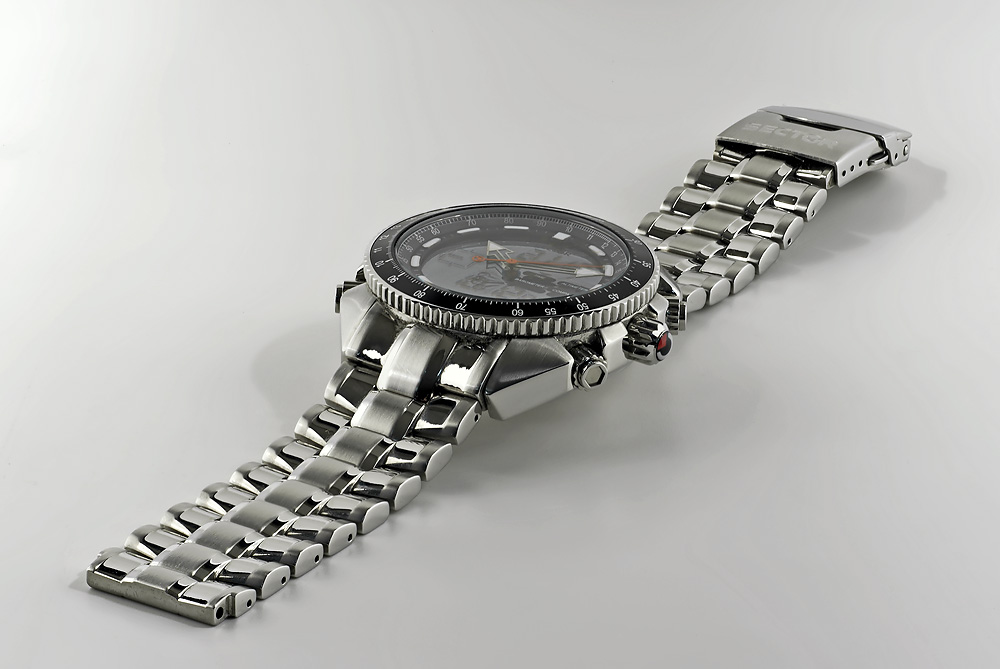
Here's an image of a SECTOR watch that i just bought ! It's made out of 14 pics !
...and another one of a 1.5 liter (~3 pints) bottle of mineral water:
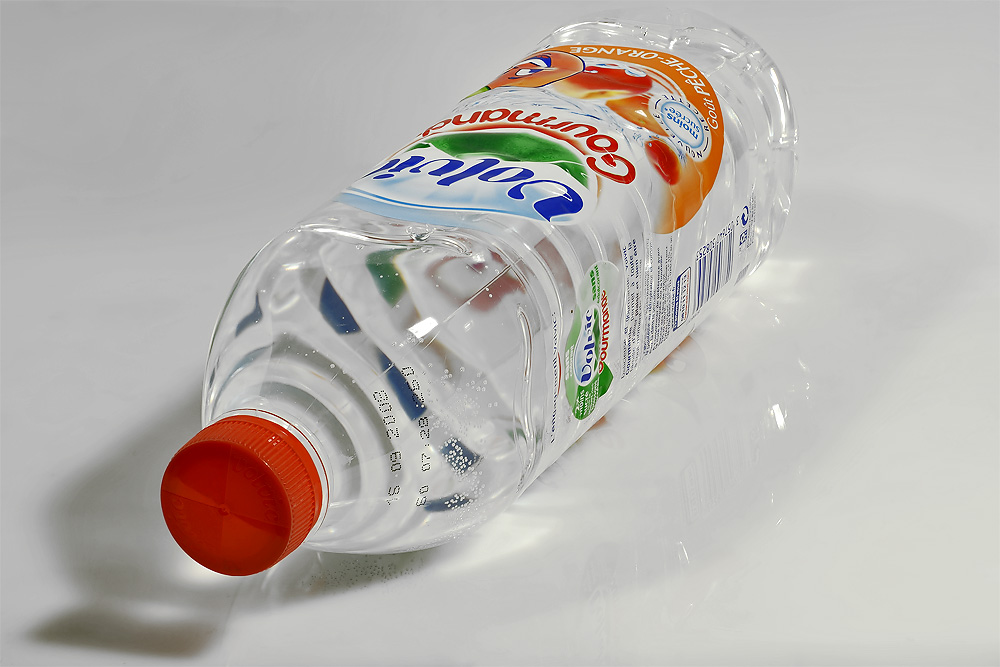
Both shots were made with a Nikon D200 + Tamron SP90 !
All in all, i'm very happy with the results !
Cheers,
J-P.
Posted: 06.05.2008 05:47
by hkoons
Question to JPS: I'm trying to resolve an issue as you experienced, "shadowed" images. Your last post indicated a resolution. Was this just chance, or did you do something to tweak the HF program?
Posted: 06.05.2008 10:44
by Guest
I just followed Ariel's advices -see his posts above- and it seems that it cured the problem !
...but i didn't try it on the SAME set of images, so maybe the other sets of photos were "easier" to adjust, for the program !?!
Cheers,
J-P.
method used in Sector test shots
Posted: 17.05.2008 17:06
by okie
[quote="JPS"]
I didn't try to re-shoot the FOCUS TEST CHART, but i did shoot some other things, and THEN, it worked like a charm !
Here's an image of a SECTOR watch that i just bought ! It's made out of 14 pics !
...and another one of a 1.5 liter (~3 pints) bottle of mineral water:
Both shots were made with a Nikon D200 + Tamron SP90 !
All in all, i'm very happy with the results !
JPS - so what method did you use to accomplish the Sector watch shot? Focus change of the lens... or move the camera incrementally?
Likewise, when processed in Helicon Focus - what was the Amount and Radius settings?