Page 1 of 1
Helicon crash with windows 11
Posted: 14.05.2023 13:26
by ebonino
I've updated my laptop with Windows 11, and when I import the images using the batch option (F7), the software randomly crashes, either reading the data from the SSD card or with the images (ARW SONY format) copied in the internal HD.
Once imported the software works correctly.
Have you observed the same behaviour?
Thank you,
Enrico
Re: Helicon crash with windows 11
Posted: 14.05.2023 15:49
by Catherine
When you say it crashes, do you mean that the Helicon Focus window completely disappears from the screen, or that there is some error message but the program keeps working? Is there a message saying "A critical error has occurred"?
Re: Helicon crash with windows 11
Posted: 14.05.2023 16:00
by ebonino
The software make a kind of sound, freeze, then after 10-15 seconds automatically it close without any message.
Re: Helicon crash with windows 11
Posted: 14.05.2023 16:29
by Catherine
That is very odd behavior. After it closes, please reopen Helicon Focus and send a bug report immediately (menu - Help - Contact support).
Re: Helicon crash with windows 11
Posted: 16.05.2023 22:01
by ebonino
Occours again.
When I try to send the report through the Contact Support interface, and clicking (repeteadly) on the "Send" button, seems that nothing happend... neither successful sending confirmation message.
After 5 minutes I receive this message:
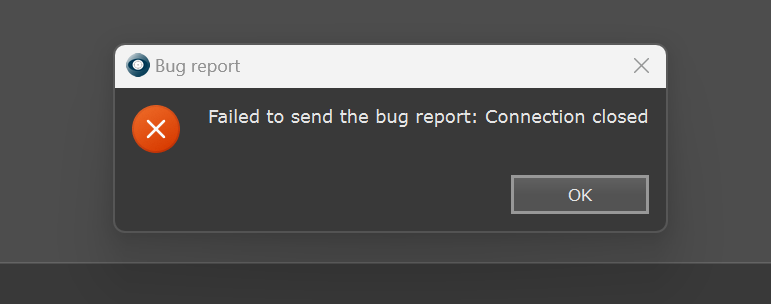
- 2023-05-16_20h59_19.png (20.33 KiB) Viewed 11421 times
Can you check if the problem is related to my setup or from your side?
Thank you
Enrico