I just started to look at options for stacking, and I love the Helicon interface and usability. It's clean and fast, and super easy to use. Unfortunately, one of my first tests did not work so well, and it's somewhat of a deal breaker for me if this type of sequence can't be stacked well. Photoshop stacking worked perfectly, Helicon stacking did not. I'm providing all the images as links, since the forum isn't letting me attach anything:
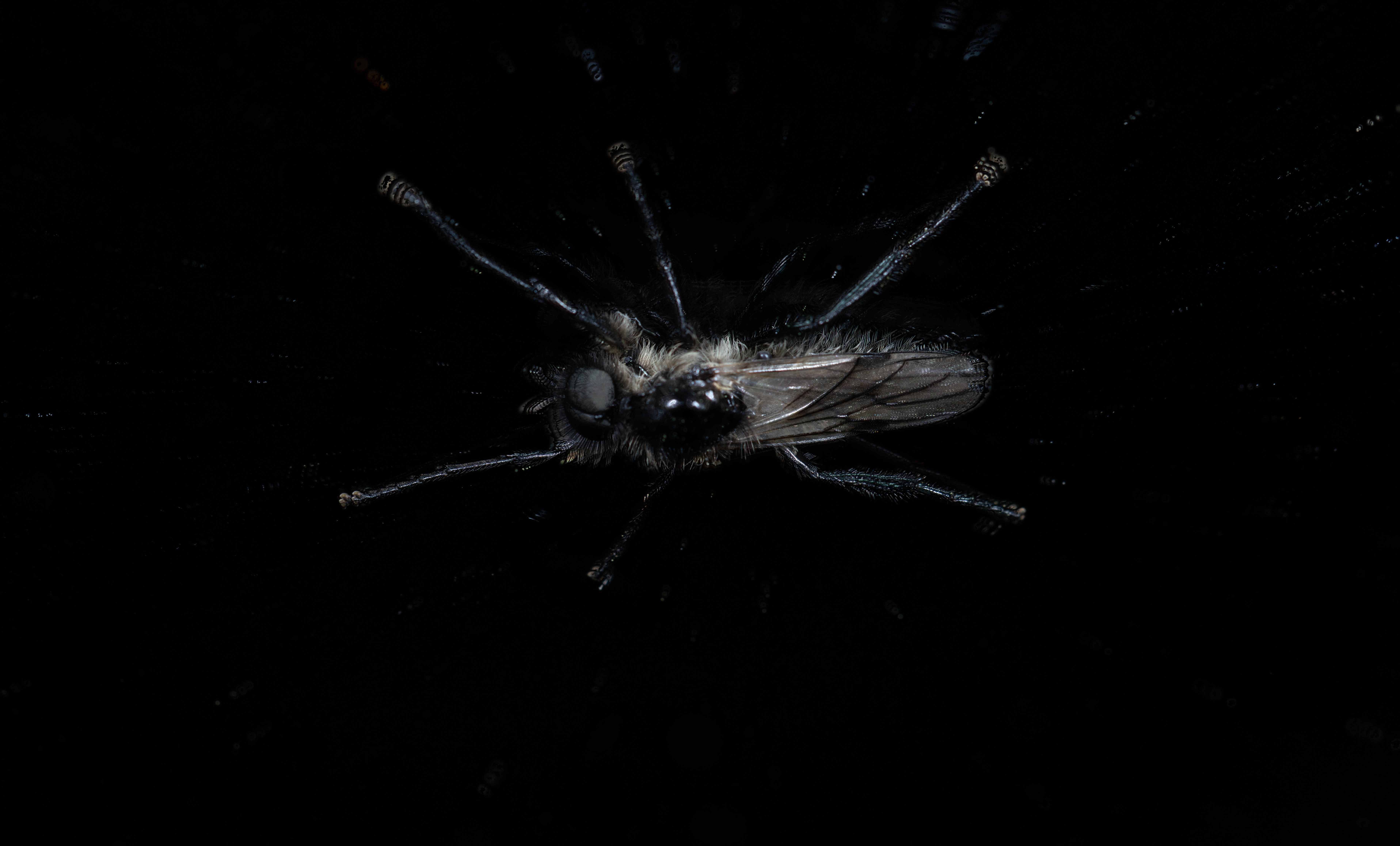
This is the output image from Helicon: https://www.latentinsight.com/Images/helicon.jpg
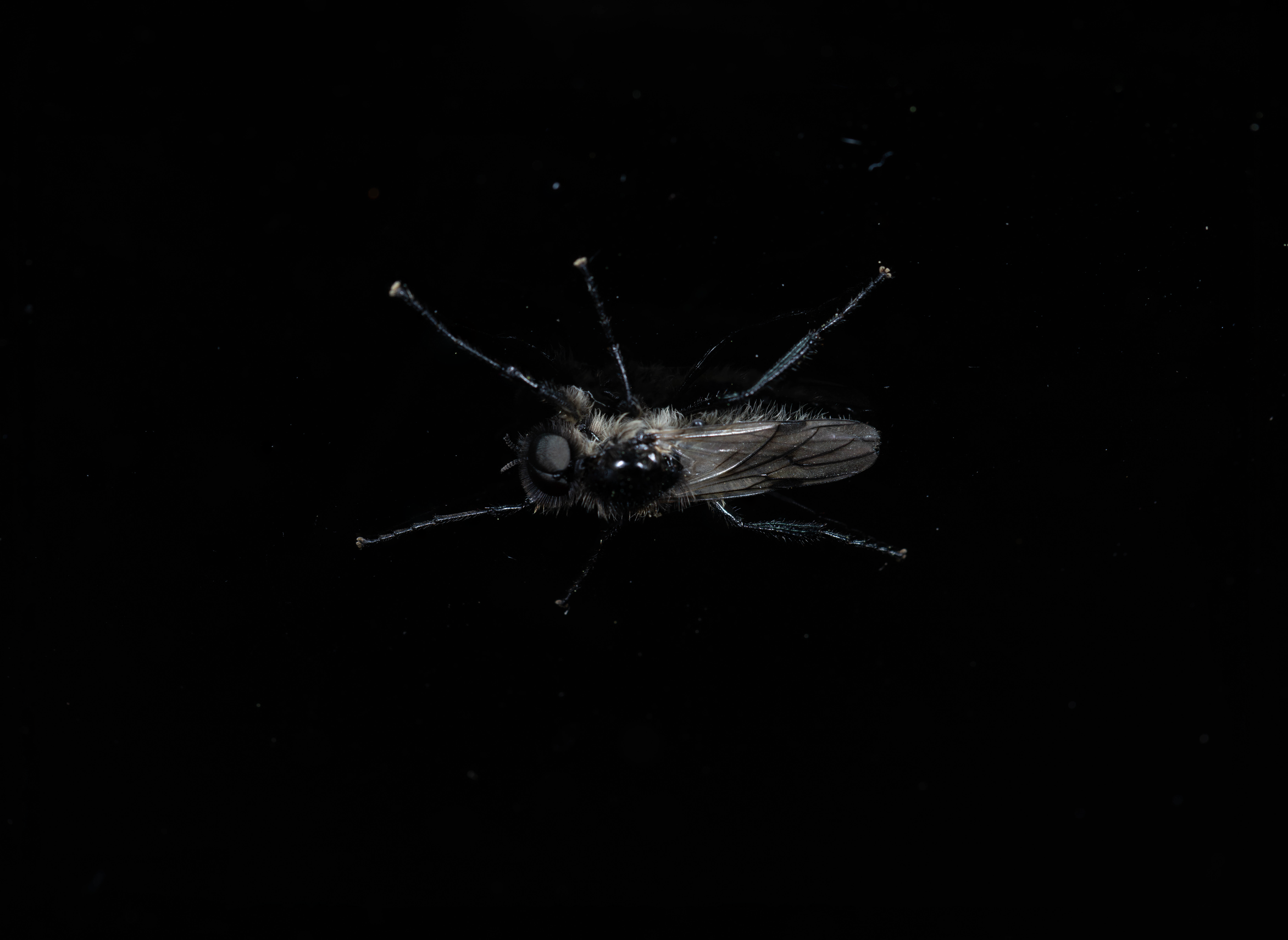
This is the output image from Photoshop: https://www.latentinsight.com/Images/photoshop.png
This is a compressed directory with the 16 source files: https://www.latentinsight.com/Images/sourceImages.zip
The problem is obvious: The tips of the fly's legs are not correctly aligned with Helicon, but are aligned with Photoshop (to be clear, they are not necessarily in focus, but are aligned). Any help with this would be appreciated, as I would like to move to Helicon to do this type of processing. Thank you!
Alignment issue

Re: Alignment issue
Hello,
You changed something in the settings, that's not how it looks with default settings. Go to the Helicon Focus menu - Edit - Preferences - Autoadjustments. Press "Reset" at the bottom, then "OK", and render again.
You changed something in the settings, that's not how it looks with default settings. Go to the Helicon Focus menu - Edit - Preferences - Autoadjustments. Press "Reset" at the bottom, then "OK", and render again.
Re: Alignment issue
I hadn't touched the settings, but I did reset everything anyway and am still getting the same anomalies around the fly's feet. I'm using the Mac version 8.3.2, which is apparently the newest one.
Re: Alignment issue
Then I'm not sure what is different with your settings, but something is. What method and parameters did you use to obtain the image you linked earlier?
If I increase the autoadjustment limits, then I get the same image you showed. First with the method C, and then after a further increase, with B.
With the default settings there is a slight misalignment of two leg tips, which I can solve by removing (un-checking) the images #5322 and 5309. I'm not sure why exactly they don't align better, but those are the two pathological ones.
You can reset the R/S parameters to default by right-clicking the slider.
If I increase the autoadjustment limits, then I get the same image you showed. First with the method C, and then after a further increase, with B.
With the default settings there is a slight misalignment of two leg tips, which I can solve by removing (un-checking) the images #5322 and 5309. I'm not sure why exactly they don't align better, but those are the two pathological ones.
You can reset the R/S parameters to default by right-clicking the slider.
Re: Alignment issue
Interesting. My best results were by removing photos 7-11. The final results of the legs are blurry, since the removed images contain sharper renderings of the legs.
I've tried all methods (A, B, and C) with similar results.
Here are my settings:
Radius: 8
Smoothing: 4
Autoadjustments:
Adjust vertically: 3%
Adjust horizontally: 3%
Rotate: 0 degrees
Scale: 5%
Autoadjustments interpolation: Bicubic (default, 4x4)
X Adjust brightness
Manual focus detection area adjustment
X Crop output automatically
Show user crop rectangle
Adjust vertically: 1.0%
Adjust horizontallyt: 1.0%
Depth map feathering: 3
I've tried all methods (A, B, and C) with similar results.
Here are my settings:
Radius: 8
Smoothing: 4
Autoadjustments:
Adjust vertically: 3%
Adjust horizontally: 3%
Rotate: 0 degrees
Scale: 5%
Autoadjustments interpolation: Bicubic (default, 4x4)
X Adjust brightness
Manual focus detection area adjustment
X Crop output automatically
Show user crop rectangle
Adjust vertically: 1.0%
Adjust horizontallyt: 1.0%
Depth map feathering: 3
Re: Alignment issue
What do you get if you render all the images you gave us in that ZIP file, with the default settings (i. e. the ones you listed)?
Re: Alignment issue
The default image is the one I originally posted at https://www.latentinsight.com/Images/helicon.jpg.
To clarify the process I used, here is a video of my processing that exact set of files, showing all of the preferences, etc. In the video I processed the files twice, the second time removing five files to improve the result: https://www.latentinsight.com/Images/heliconprocess.mov
I took another series of photos of a fungal growth on a hollyhock plant. Here are the links:
The final Helicon image: https://www.latentinsight.com/Images/helicon2.jpg
The final Photoshop image: https://www.latentinsight.com/Images/photoshop2.png
Apparently there's a limit to 4 links in a message. The source files are called sourceImages2.zip.
To clarify the process I used, here is a video of my processing that exact set of files, showing all of the preferences, etc. In the video I processed the files twice, the second time removing five files to improve the result: https://www.latentinsight.com/Images/heliconprocess.mov
I took another series of photos of a fungal growth on a hollyhock plant. Here are the links:
The final Helicon image: https://www.latentinsight.com/Images/helicon2.jpg
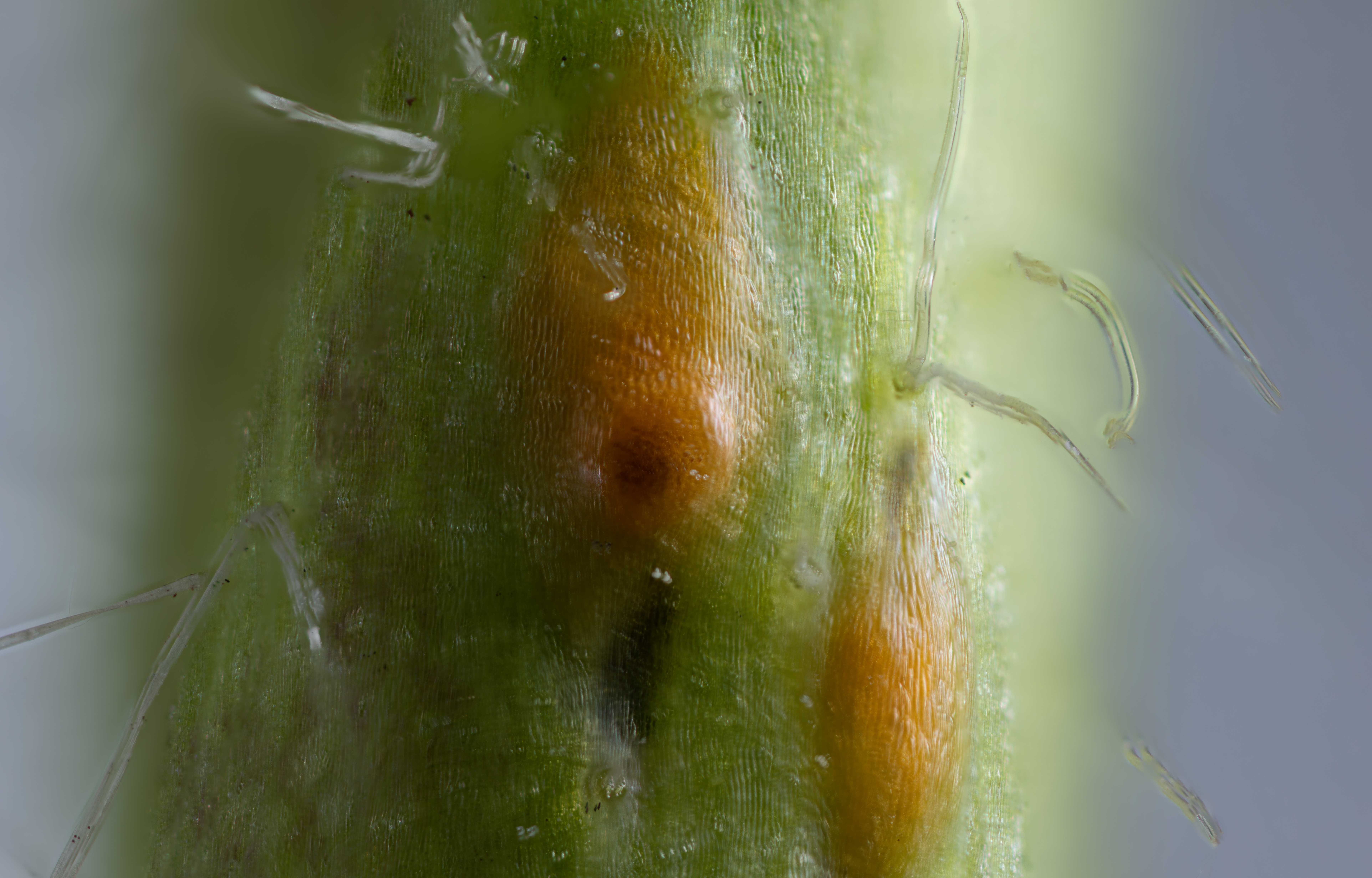
The final Photoshop image: https://www.latentinsight.com/Images/photoshop2.png
Apparently there's a limit to 4 links in a message. The source files are called sourceImages2.zip.
Re: Alignment issue
Right, this is correct, and this is the not the same image you linked in the first post. Method A is worse, which is almost always the case, use B or C for a better image. And then you can remove just the 2 images I listed.